BIRDFONT
Birdfont is a free font editor which lets you create vector graphics and export TTF, OTF
and SVG fonts. The editor has good support for both monochrome and color font formats.
Installers and source code packages are available for Windows, Linux, Mac OS X and BSD. Download BirdFont from this site.
Your support for the Birdfont project is important. Even small sums makes a huge difference. The income from this project is used to fix bugs and implement new features with the aim to provide an excellent font editor for everyone. Many hours are put in to this project every month.
Apr 26 | 5.00 USD |
Apr 26 | 10.00 USD |
Apr 25 | 10.00 USD |
Apr 25 | 10.00 USD |
You can also signup for a subscription if you want to support the project with a small amount each month.
Here are some places you can report bugs or get help:
BirdFont is developed by Johan Mattsson. The editor is written in Vala and has around 101 000 lines of code.
• Authors
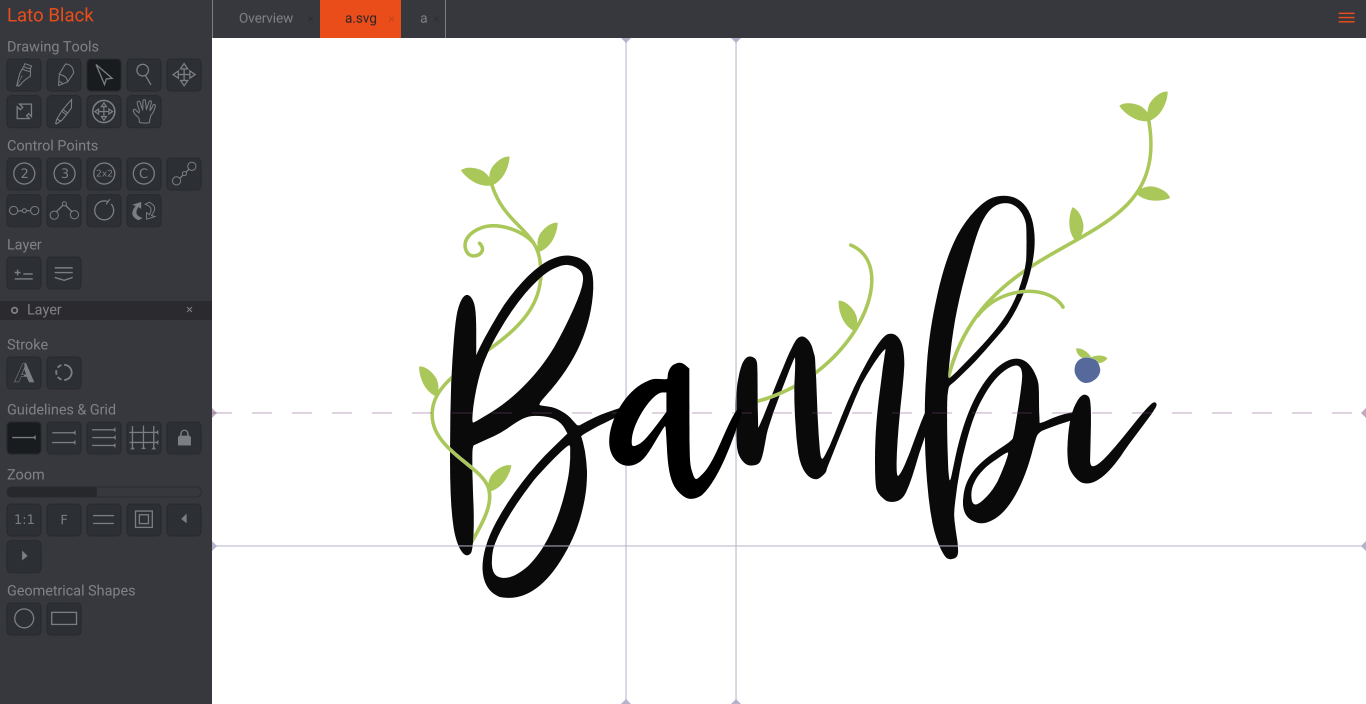
There are many ways to create fonts with Birdfont. This is an advanced example using varable glyph properties.
Discover fonts made with BirdFont and submit your own work.
• Better merge tools
• A ruler
• Better tools for navigation.
• Quick Glyph Switching: Swiftly switch to a specific glyph directly from the kerning tab, making glyph editing more intuitive and faster.
• Word Display in Editing View: The editing view can now display the last entire word from the kerning tab.
• Direct Glyph Jump: Jumping to a particular glyph in the editing view is now possible without navigating through the overview tab.
• New user interface
• Move canvas with middle mouse button
• Speed optimizations
• Bright and dark color themes are now available in gray scale
• Snap to guides with point editing tools
• Many bug fixes
• Bug fixes in the SVG parser
• New tab for managing new additional guides (overshoot etc.)
• Give mark classes names
• Capture mouse up outside of the window in zoom bar
• Fix import of SVG fonts from glyphrstudio
• Mark to base positioning of custom diacritical marks in the GPOS table.
• Multi master export for SVG font
• Multi master export for OTF font (cubic bezier curves)
• Many small improvements for variable fonts
• Export multiple static fonts from one variable master font (for example many weights)
• Clear recent files. Menu -> Clear Recent Files
• Bug fixes
• Allow all Unicode characters in font names, not just ASCII
• Bug fixes
• Run on Mac OS 14, Sonoma
• Better mono space support
• Support for generating multiple static styles from a variable font
• Better variable font support
• SVG import fix
• Bugs fixed: lsb - rsb updates, SVG imports, color alternates
• Make sure fonts work better in PDF files.
• New autobold settings that allows the designer to keep the sidebearings.
• Variable TTF fonts.
• A new tool for adjusting creating extremas (put handles on axis). Select a point and press e.
• Fix loading of OpenType SVG files.
• Fix outline stroke issues.
• Parse OpenType SVG fonts (TTF and OTF).
• Fix gradients in OpenType SVG fonts.
• Bug fixed in color fonts
• Anchor points for diacritical marks
• Bug fixed in ligature creation
• Insert letters with diacritical marks by pressing and holding down the key you want to show diacritics for.
• Updated SVG parser.
• Support for italic angle in metadata.
• Add support for setting width from SVG files in folder import.
• Fix bugs related to kerning.
• Bug fixes, better ligature creation and other small things.
• Improvements in SVG parser and color ligature creation.
• Add a keybinding for toggling background image on and off (k)
• Many bug fixes.
• Add support for exporting an entire folder with all selected glyphs as SVG files Menu -> Import and Export -> Export all selected glyphs as SVG
• Many bug fixes.
• Make it possible to store background images out side of the font file, this makes loading Birdfont files much faster.
• Fix high resolution icons in the tab bar.
• Fix a bug that made fonts with background files very big.
• New grid dialog.
• Fix copy and paste in the overview tab.
• A better way to browse the Unicode database.
• Many bug fixes.
I wrote the first line of code in Birdfont on Jan 1 2012. Birdfont turns ten today. I celebrate the day by releasing version 4.23. Many thanks to all of you that bought and used the product!
• Bug fixes for the default glyphs in the overview tab.
• Many changes to ligature creation.
• Better kerning tab
• Improvements to ligature generation
• Bug fixes
• Support for randomized glyphs (OTF tag rand)
• Spacing class in menu
• Bug fixes
• Fix SVG import (Vectornator)
• Support gor oldstyle figures (OTF tag onum)
• Better handling of positioning very small details.
• Apply grid in circle tool.
• Flip COLR paths.
• Better size and position buttons.
• Use the bottom of a path to position it with the "Y" button (instead of the top), zero means that the shape is on the baseline.
• Update spacing when layer visibility changes
• Speed optimizations
• Fix undo issues
• Other bug fixes
• Better SVG parser (mainly for the Github Octicons)
• Other bug fixes
• Add a menu item for updating layer names (Menu → Layers → Rename Layer)
• Make it possible to set zoom from text input
• Bug fixes
• Show outlines instead of filled glyphs when you create circles and rectangles.
• Add a setting for changing the default width for new glyphs.
• An important bug fix in the TTF and OTF generator.
• Bug fixes, especially useful things if you are working with Adobe Illustrator but also many other small fixes.
• Moves selected objects in larger steps (Ctrl + arrow).
• Better SVG parser.
• A setting for the number of decimals in SVG fonts.
• A new tab for folder import of SVG images (batch import).
• Support for rectangles with rounded corners.
• Bug fixes related to ligature substitution in the kerning tab.
• Add the option to delete all kerning pairs in a font.
• Important bug fixes in the SVG parser.
• Add support for renaming glyphs (in the POST table).
• Add support for filtering glyphs. You can keep a small subset and delete all other characters.
• Bug fixes.
• An additional format for single stroke CNC (engraving) fonts (same way back).
• Bug fixes and updates for older operating systems.
• Single stroke paths for CNC machines.
• Unicode 13
• Four letter vendor ID
• Bug fixes and speed optimizations
• Many improvements to the overview tab
• Better spacing classes. It makes to kerning and spacing of your fonts easier.
• Smaller file size for OTF fonts.
• Many improvements to the underlying engine and plenty of bugfixes in all parts of the program.
• Solve problems in OpenType-SVG fonts.
• Fix SVG folder import.
• Better tools for editing COLR paths.
• Better SVG parsing. Support for the “use” tag in the SVG parser.
• Speed optimizations.
• Bug fixes.
• Support for aalt, a new OTF tag for alternates. Illustrator uses this feature.
• Additional vertical guides.
• Retain view and selected glyph when switching character set in the overview tab.
• Compare both monochrome and color glyph in the editing view.
• Make it possible to import a TTF or OTF glyph even if a Unicode value can't be found for it.
• Menu reorganization (view menu).
• Automatic backups.
• A new tab for creating ligatures.
• Edit COLR glyphs in Birdfont.
• Generate COLR fallback from SVG and vice versa.
• Support for a new color font format: COLR/CPAL.
• Visual feedback when fonts have been exported.
• Set a color as the forground color in COLR glyphs (the color will be selected by the user).
• Better strokes, use less points. Fix bevel and round line joins.
• Center glyphs vertically.
• Add stylistic set substitution, OTF tags ss01 – ss20.
• Enable comments in SVG file names for designers that imports all files in a folder.
• Add a customized character set to the overview tab.
• Center glyphs.
• Import and export large character sets in OTF fonts.
• Set width for all glyphs at the same time.
• Add support for adjusting line gap.
• Cut paths (Ctrl+X or Cmd+X).
• Fix OTF support (compatibility with After Effects).
• Support for adding new Unicode points.
• Show ligatures in search results.
• Bug fixes: grid, file dialog and special search terms in the Unicode Charater Database (UCD).
• Fixes for SVG files made with Illustrator.
• Theme color fixes.
• Fix resize tool.
• Customizable preview template (HTML).
• Speed optimizations of spacing classes.
• Bug fixes in OTF files on Mac.
• Better conversion from SVG to font.
• Round, bevel or miter line joins.
• Fix SVG import.
• OTF support, OpenType Fonts with PostScript outlines.
• A good number of bug fixes.
• New file extension: .birdfont replaces .bf. You can still open your font in
older versions of the editor if you change the extention to .bf.
• Adjust underline thickness and position in a font.
• Run faster on Windows.
• Export large (CJK) fonts.
• Fix parsing of TTF fonts.
• Add support for input with Cyrillic keyboards and other character sets.
• Fix ligature encoding.
• Use native file dialog on Windows 10.
• Make sure fonts pass validation in Font Book.
• Fix stroke export.
• Fix parsing of CSS data in SVG files
• Updated Unicode Character Database (ucd)
• Fix Illustrator import
• Color font support for Edge
• Support for Arabic scripts
• Color fonts
• Better SVG import
• Larger number of kerning pairs is supported in the GPOS table (LookupType 9: Extension Positioning).
• HiDPI support on Windows and bugfixes.
• Change writing direction to RTL (right to left) in kerning tab
• Bug fixes
• New freehand tool
• Rotate objects and point handles with 45 degree steps
• Bug fixes
• Speed opimizations
• Improved vertical metrics in TTF fonts
• Sandbox support on Mac OS
• Bug fixes
• More descriptive fields in TTF fonts (license, designer, URL etc.)
• Stylistic alternates (OpenType feature tag: salt)
• Small Caps (OpenType feature tag: scmp)
• Capitals to Small Caps (OpenType feature tag: c2sc)
• Swashes (OpenType feature tag: swsh)
• Parse circles, ellipses and lines in SVG files
• Support for high resolution screens
• Lock grid and guides
• Merge overlapping regions
• Bug fixes in the TTF generator
• Layers
• Mac specific TTF fonts (fixes fontbook problems)
• Fallback font with support for many languages
• Faster GUI
• Speed optimization in font export
• Faster search queries in the Unicode Data Base
• Better parsing of SVG files generated with Illustrator
• Dialog for importing a folder with SVG files
• Stroke
• Round line caps
• Bug fixes
• Bright and dark color themes
• A tool box for the recent files tab
• Export settings
• Curve orientation
• Contextual ligature substitution
• Kerning strings
• Customizable color themes and better icons
• High contrast settings for better readability
• Fixes for problems in TTF creation and other bugs
• Customizable guides
• Bug fixes and many small UI improvements
• A new spacing tab
• Improved Beziér editing
• Side bearing metrics in edit view
• Key bindings for zoom in and zoom out in kerning tab
• Bug fixes
• New UI layout
• New zoom tool
• Improved background import
• Customizable short cuts
• New tab for changing font name
• Better Illustrator SVG import and other bug fixes
• Load bf fonts faster
• Fix compatibility with Inkscape
• Bug fixes.
• A new Beziér drawing tool
• Move paths independent from handles or along handles.
• Bug fixes
• Fixes a critical spacing bug and bugs in the drawing canvas.
• Ligature substitution, (Open Type Feature, GSUB table)
• Input characters by unicode value in kerning tab
• Bug fixes
• A new XML parser
• Bug fixes
• A complete Czech translation
• A bug fix
• Bug fixes
• Generate fonts compatible with Microsoft Word on Mac OS
• Command line utility for autotracing images (birdfont-autotrace)
• Bug fixes and minor GUI improvements.
• Autotrace – convert raster images to vector fonts.
• Simplify paths. Deleteing points reduces the number of control points while
still keeping the same approximate path. Use Ctrl+Del to break the paths.
• Spacing classes that copies side bearings and kerning pairs from one glyph
to another. This feature makes it easier to create fonts with only upper
case characters as well as mono spaced fonts.
• Copy and paste multiple glyphs in the overview tab.
• Redo command
• Oblique and italic transformation
• Improved overview tab
• Compability with CS6
• Copy and paste side bearings
• Support for many more languages including Japanese with CMAP format 12.
• Tools for adjusting side bearings in the kerning tab
• A tool for moving objects to the baseline
• A spin buttons for moving objects to a specific coordinate, rotating objects and resizing paths.
• Bug fixes
• A bug fix for quadratic control points in TTF files.
• Better conversion from SVG to TTF
• Fixes a TTF export bug
• Parse transform directive in SVG import.
• A new command line utility that makes it possible to import a set of SVG files to a bf font file (birdfont-import).
• Crop rotaded and resized images.
• Better conversion from SVG files to TTF fonts.
• Important bug fixes.
• Load, save and export fonts in background threads.
• Faster TTF export
• Improved preview tab on Windows
• Retain the angle of a control point handle while adjusting the length
• Parse round corners and stroke endings in SVG files
• Fixes bugs in the SVG import code and elsewhere in order to improve
compability with potrace and Illustrator
• Delete and undo for kerning pairs
• Complete Ukrainian and Spanish translations
• Bug fixes
• Bug fixes in the kerning code
• Many bugs and memory leaks have been fixed in this version
• Font size settings in the kerning tab
• A new SVG parser
• Compatibility with many Microsoft Windows applications
• Bug fixes
• Paste letters in the kerning tab
• Settings for the freehand tool
• Bug fixes
• A new tool for drawing freehand shapes with the mouse
• Bug fixes related to conversion from SVG to TTF
• Fixes crash bug in SVG import code
• This release solves kerning issues and other problems.
• Import background images on new versions of Mac OS X and bug fixes.
• Touch screen friendly interface
• New tools for adding and moving control points
• Icons in 320 dpi
• French translation
• Bug fixes
• Bug fixes in the Linux version
• Bug fixes
• Groups of paths and control points
• Speed optimizations
• Bold and italic styles
• Bug fixes
• TTF units
• Paste in place and paste at cursor
• Kerning classes
• Copy and paste paths between windows
• Rotate paths
• Flip path
• Convert segments to lines
• Symmetrical control points
• Use glyphs as backgrounds
• Bug fixes in the Mac OS X version
• Bug fixes
• New overview tab
• Two control point handles for quadratic paths
• Better conversion from SVG to TTF
• Bug fixes
• Bugfixes
• Bug fixes and many changes to make BirdFont run on Mac OS X with a native window.
• Bug fixes
• Descriptive fields in TTF fonts (version number and name)
• Kerning for both Chrome and Firefox
• Read TTF font instead of SVG font in html template
• Bugfixes
• Improved translations
• Descriptions from the Unicode Character Database
• A new file format is introduced (.bf replaces .ffi)
• Bug fixes
• Two quadratic points with a hidden point in between creates a quadratic path with two line handles.
• Quadratic points is now the default
• Scrollbar
• TTF export on Mac OS X
• French translation
• Bug fixes
• Macports validation
• Correct location in ID loadcommand for Macports
• Macports file
• Bug fixes
• Quadratic Bézier paths
• Edit SVG fonts
• Open OTF and TTF fonts with freetype2
• Open Type kerning (GPOS pair adjustment positioning subtable)
• Bug fixes
• Spanish translation
• Russian translation
• Italian translation
• Brasilian Portuguese translation
• Bug fixes and updated test suit
• Bug fixes
• Bug fixes
• Backup and crash recovery
• Move paths with keyboard
• Color
• Adjustable control point size
• Select all path
• Resize all selected paths
• Import SVG files from Inkscape and Adobe Illustrator
• Move control points with keyboard
• Join paths
• Bugfixes
• German translation
• Chinese translation
• Copy and paste paths from Inkscape
• Export SVG files
• New build system on top of Eduardo Schettinos doit
• Dutch translation by Sven Santegoeds
• New icons
• Bugfixes
• Menu
• Internationalization
• Improved TrueType outlines
• Resize paths
• Move multiple control points
• Draw path from both ends
• New edit commands
• Man pages
• Bug fixes
• Larger control points
• Crop background updates position of the image
• Undo command for background images
• Faster multithreaded export
• Juxtapose glyphs and draw every glyph in it's context
• New .notdef character
• New tab bar
• Embedded OpenType (EOT) support
• Utility for exporting fonts from the command line (birdfont-export)
• Rotate, scale and crop background images
• New key bindings
• TTF support
• Desktop file and icon
• Merge paths
• Wine support
• Several important bug fixes
• First release